Antivirus
In an increasingly digital world, where threats lurk in every corner of the internet, antivirus software has become an indispensable tool for individuals and organizations alike. It acts as a vigilant guardian, protecting your valuable data, preserving your privacy, and ensuring the smooth operation of your devices. This in-depth guide will delve into the intricacies of antivirus software, exploring its functionality, importance, and best practices for optimal protection.
What is Antivirus Software?
Antivirus software is a specialized program designed to detect, prevent, and remove malicious software (malware) that can compromise your digital security. Malware encompasses a wide range of threats, including:
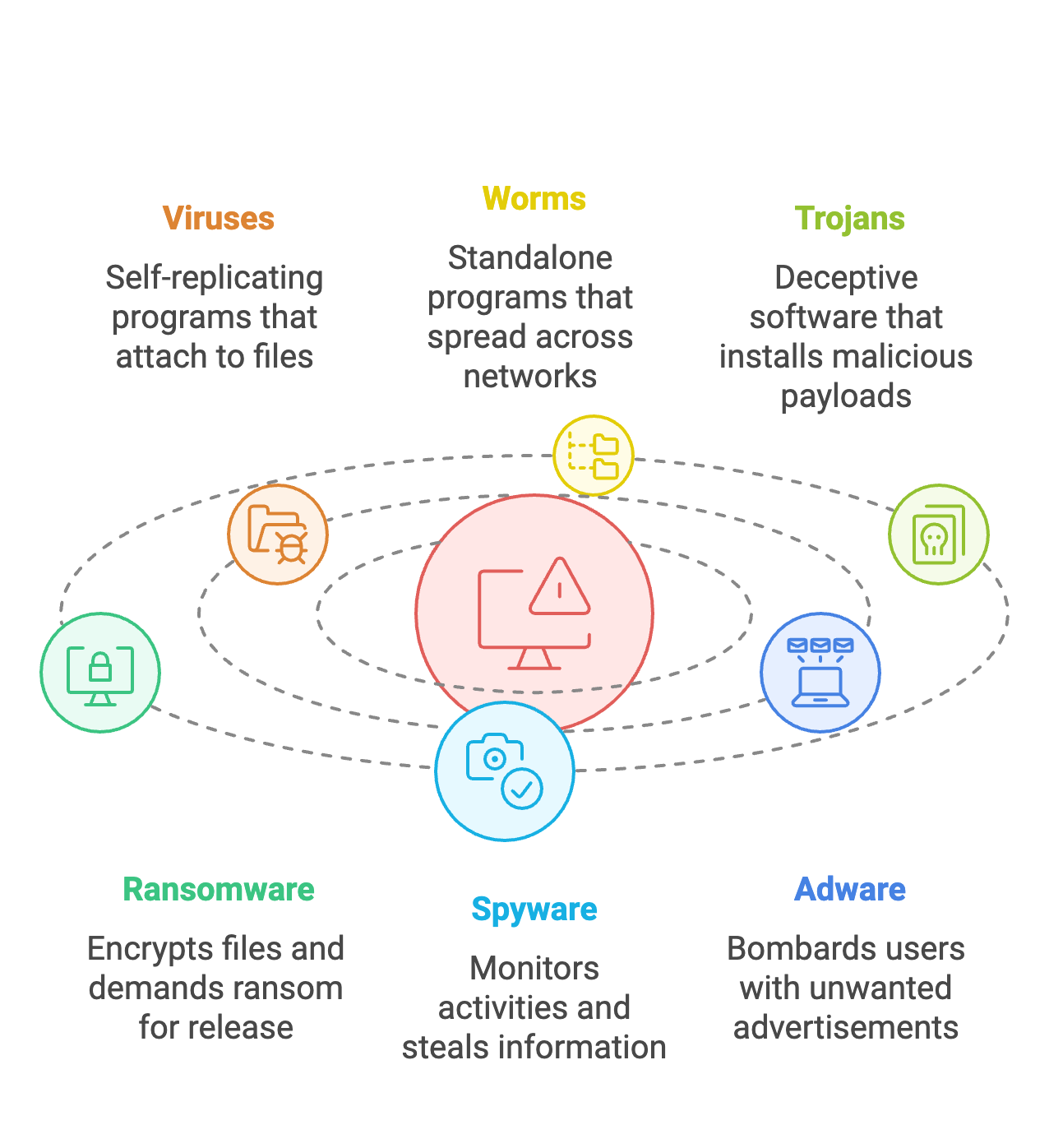
Viruses: These self-replicating programs attach themselves to legitimate files and spread across systems, potentially corrupting data and disrupting operations.
Worms: Unlike viruses, worms are standalone programs that can self-propagate across networks without needing to attach to other files. They can exploit vulnerabilities to spread rapidly and cause widespread damage.
Trojans: Disguised as harmless software, Trojans deceive users into installing them. Once inside, they can steal data, install other malware, or provide unauthorized access to your system.
Ransomware: This insidious malware encrypts your files, rendering them inaccessible, and demands a ransom for their release. Ransomware attacks can cripple individuals and organizations, causing significant financial losses and operational disruptions.
Spyware: Operating stealthily in the background, spyware monitors your online activities, captures keystrokes, and gathers personal information without your knowledge or consent. This can lead to identity theft, financial fraud, and privacy breaches.
Adware: While less harmful than other malware, adware bombards you with unwanted advertisements, pop-ups, and browser redirects. It can be annoying, disrupt your workflow, and potentially lead to more serious threats.
How Does Antivirus Software Work?
Antivirus software employs a multi-layered approach to combat malware, utilizing various techniques to identify and neutralize threats:
Signature-Based Detection: This traditional method compares files against a vast database of known malware signatures, which are unique code patterns that identify specific malware strains. If a match is found, the antivirus software takes action to quarantine or remove the threat.
Heuristic Analysis: To detect new or unknown malware that may not have a signature yet, antivirus software utilizes heuristic analysis. This technique examines the behavior of programs, looking for suspicious activities such as attempts to modify system files, access sensitive data, or connect to remote servers.
Sandbox Environments: Suspicious files can be executed in a secure, isolated environment called a sandbox. This allows the antivirus software to observe the file's behavior without risking harm to the actual system. If malicious activity is detected, the file is flagged as a threat.
Real-Time Protection: Antivirus software provides continuous, real-time protection by actively monitoring system activity for any signs of malware. This proactive approach blocks threats as they emerge, preventing them from gaining a foothold on your device.
Key Features of Antivirus Software:
Modern antivirus software offers a comprehensive suite of features to protect against a wide range of threats:
Scanning: Perform on-demand or scheduled scans of your entire system, specific files or folders, or removable drives to detect any lurking malware.
Real-Time Protection: Provides continuous protection against malware by monitoring system activity and blocking threats in real-time.
Malware Removal: Removes detected malware from your system, ensuring that your data and device are safe from harm.
Quarantine: Isolates suspicious files in a secure location, preventing them from executing or causing damage while you decide how to handle them.
Updates: Receives regular updates to its malware definitions database, ensuring that it can identify and protect against the latest threats.
Web Protection: Safeguards your browsing experience by blocking access to malicious websites phishing pages, and other online threats.
Email Protection: Scans incoming and outgoing emails for malware, preventing you from inadvertently downloading or spreading infected attachments.
Firewall: Acts as a barrier between your device and the internet, monitoring network traffic and blocking unauthorized connections that could be used to deliver malware or steal data.
Why is Antivirus Software Essential?
In today's interconnected world, antivirus software is no longer a luxury but a necessity. Here's why:
Protects Against Data Loss: Malware can wreak havoc on your data, leading to data theft, corruption, or deletion. Antivirus software helps prevent data loss by detecting and removing malware before it can cause harm.
Prevents System Crashes: Malware can disrupt system stability, causing crashes, freezes, and other performance issues. Antivirus software helps maintain system stability by preventing malware infections.
Safeguards Privacy: Malware can compromise your privacy by spying on your online activities, capturing keystrokes, and stealing personal information. Antivirus software helps protect your privacy by blocking spyware and other privacy-invasive malware.
Avoids Financial Loss: Malware can lead to financial losses through identity theft, online fraud, or ransomware attacks. Antivirus software helps prevent financial loss by blocking these threats.
Maintains System Performance: Malware can consume system resources, slow down performance, and degrade the user experience. Antivirus software helps maintain optimal system performance by preventing malware infections.
Choosing the Right Antivirus Software:
Selecting the right antivirus software can be crucial for effective protection. Consider these factors:
Features: Evaluate your needs and choose software with the features that align with your requirements, such as real-time protection, web protection, email protection, and firewall capabilities.
Performance: Opt for software that has a minimal impact on system performance, ensuring that your device runs smoothly without noticeable slowdowns.
Ease of Use: Choose software that is user-friendly and easy to install, configure, and use, even for those with limited technical expertise.
Reputation: Select reputable software from a trusted vendor with a proven track record of providing reliable protection and excellent customer support.
Updates: Ensure that the software provides frequent updates to its malware definitions database to keep pace with the ever-evolving threat landscape.
Best Practices for Antivirus Use:
To maximize the effectiveness of your antivirus software, follow these best practices:
Keep Your Software Updated: Regularly update your antivirus software to ensure that it has the latest malware definitions and can protect against new threats.
Run Regular Scans: Perform regular full system scans to detect any malware that may have slipped through real-time protection.
Exercise Caution Online: Be cautious when opening email attachments, clicking on links, or downloading files from the internet. Avoid suspicious websites and be wary of unsolicited emails or messages.
Download Software from Trusted Sources: Download software only from reputable sources, such as official websites or trusted app stores, to minimize the risk of downloading malware.
Use Strong Passwords: Create strong, unique passwords for your online accounts and change them regularly to prevent unauthorized access.
Practice Good Security Hygiene: Keep your operating system and other software updated, use a firewall, and be mindful of your online activities to minimize your risk of malware infections.